Negative Keyword Match Types Run Backwards from Positive Ones
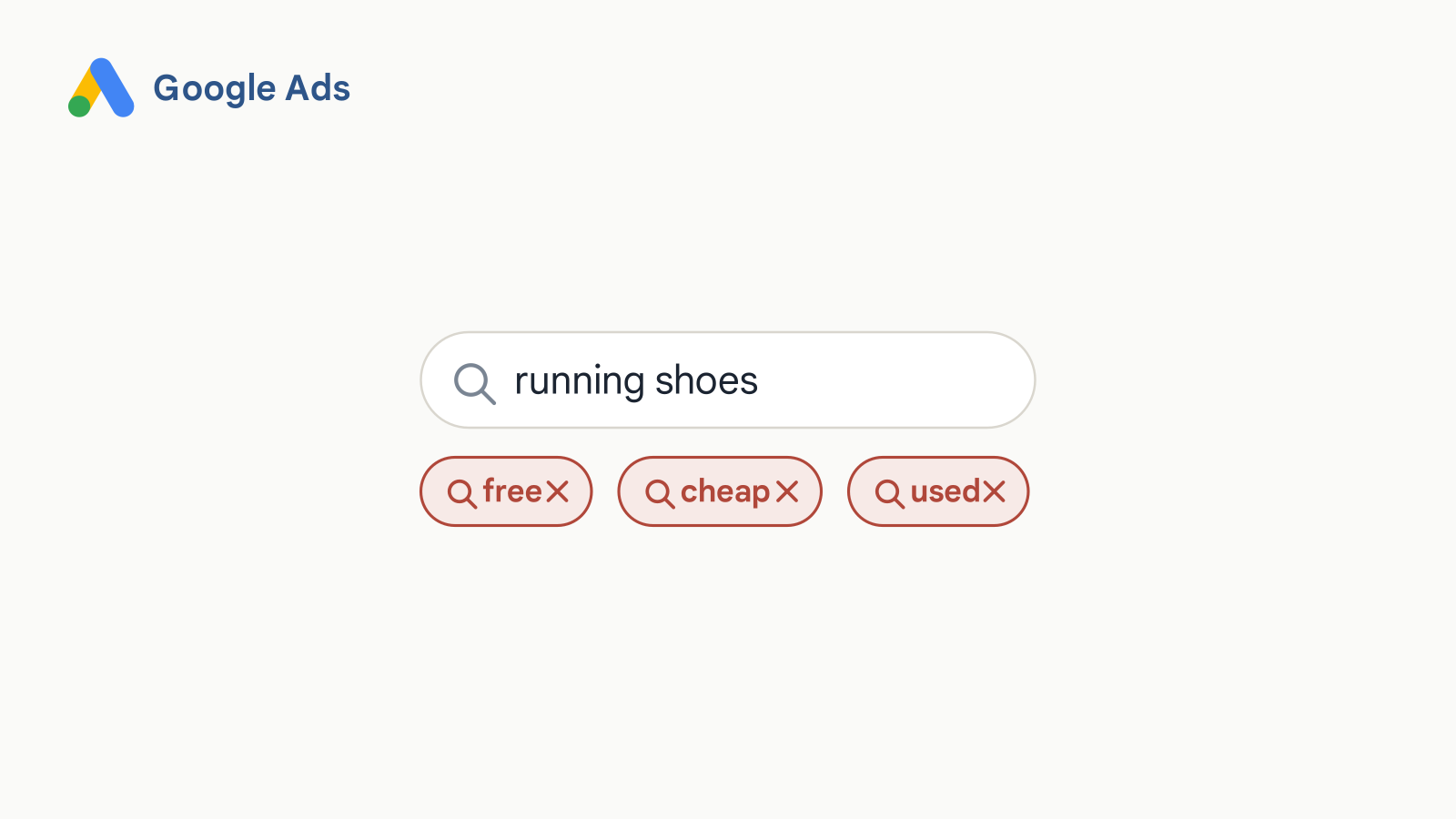
Here’s something that has probably happened to you.
You’re going through the search terms report, and you find a query that has nothing to do with your business. It’s had clicks and spent budget, but it hasn’t converted. So you check the box next to it, click add as negative keyword, and you move on.
And then a couple of weeks later, there it is again. Almost the same query, with one extra word on the end.
That’s not a glitch. That’s the default match type doing exactly what it’s designed to do, and it happens to be the weakest of the three.
So let’s look at how negative keywords actually work, why the three match types run in the opposite direction of positive keywords, and what that means for the way you build and maintain negative lists.
Why this matters more now
In case you haven’t read the last post on match types and positive keywords, the condensed version is that keywords stopped being a gate designed to lock out certain queries. All three positive match types now match on meaning rather than on actual strings of words. There’s no setting to turn that off, and the system is built to expand the reach of your ads to additional queries rather than to restrict.
Which leaves negatives in an unusual position. They’re now the one restriction lever in a Search campaign that’s still manual and still completely yours. Nothing about them is automated and they don’t expand on your behalf.
That makes negative keywords more important than they used to be. And it also makes them harder to get right, which is what most of this post is about.
Why you can’t plan these in advance
It’s very difficult to write a good negative keyword list ahead of time.
Because to do that, you’d have to anticipate every possible way your keyword could be read as something it isn’t. Every adjacent meaning, every irrelevant context, every way a phrase that makes perfect sense in your business also makes sense in somebody else’s.
That’s the same problem from the last post, running in the other direction. You can’t write a list of every query that could match your keyword. And you can’t write a list of every query that shouldn’t. Which is why getting your negatives right before launch is close to impossible.
Now, some of them you can see coming. If you’re selling a service, “free” is going to cost you money. So is “jobs” and “salary” and “careers,” because people looking for employment at a company search almost the same terms as people looking to buy from it. “DIY” and “how to” if you do the work for people. “Used” if you only sell new.
Those are the obvious ones, and you should put them in before you launch.
Everything past that gets discovered rather than predicted. You run the campaigns, you let the query data build up, and you look for the places where the system is reading your keyword in a way you didn’t intend. That isn’t a failure of planning. It’s just how this works.
So there’s a schedule attached to it.
When a campaign is brand new, you need to check the search terms report daily. Those first days are when the system is exploring hardest and your negative list is at its thinnest, and that combination is where money disappears fastest.
As the account matures and the obvious waste is already blocked, you can widen the interval. Weekly, then every couple of weeks, then monthly, scaled to what your spend justifies.
But it never goes to zero. Negative keywords are a production process, something you need to do regularly to keep a campaign optimized.
This was true back when Google showed you every single query that triggered your ads. It’s still true now. The difference is that today you’re only seeing a portion of them, which is a subject for its own post.
Where negatives live
This is reference material rather than a best practice, so I’ll go through it quickly.
You can apply negatives at four levels: ad group, campaign, account, and through shared lists that you apply to multiple campaigns at once.
The limits, from Google’s documentation:
| Limit | Value |
|---|---|
| Negative keywords at the account level | 1,000 |
| Shared lists per account | 20 |
| Keywords in each shared list | 5,000 |
The practical advice is to theme your lists rather than keeping one enormous bucket. Employment terms in one, competitor names in another, DIY and how-to in another. When you need to change something, you change it in one place and it propagates.
There’s one warning straight from Google, which sometimes catches people: make sure your negative keywords don’t overlap with your actual keywords. If they do, your ads simply won’t show.
The three negative match types
Negative keywords have the same three match types as positive keywords. Broad, phrase, exact. Same names, same syntax.
They don’t work the same way. Not similar, not a variation. The rules are different, and if you carry your assumptions over from the positive side, you’ll get this backwards.
Google’s own example uses the negative keyword “running shoes” tested against five searches.
Negative broad is the default when you add a negative manually. No punctuation. It blocks a search only when that search includes every word in your negative keyword, and the order those words appear in doesn’t matter. If the search picks up only some of your words, your ad can still run.
Negative phrase uses quotation marks. It blocks the search when your words appear together, in the order you wrote them. Extra words on either side don’t rescue it. As long as your run of words is in there, in sequence, the ad stays hidden.
Negative exact uses square brackets. It blocks only the search that is your keyword and nothing more: the same words, in the same order, with nothing else attached. Add a single word to the query and the block falls away.
Run the same five searches against each one and the pattern is hard to miss.
| Search | running shoes(broad) |
"running shoes"(phrase) |
[running shoes](exact) |
|---|---|---|---|
| blue tennis shoes | shows | shows | shows |
| running shoe | shows | shows | shows |
| blue running shoes | blocked | blocked | shows |
| shoes running | blocked | shows | shows |
| running shoes | blocked | blocked | blocked |
| 3 of 5 blocked | 2 of 5 blocked | 1 of 5 blocked |
Broad blocks the most. Exact blocks the least.
That’s the exact reverse of the positive side.
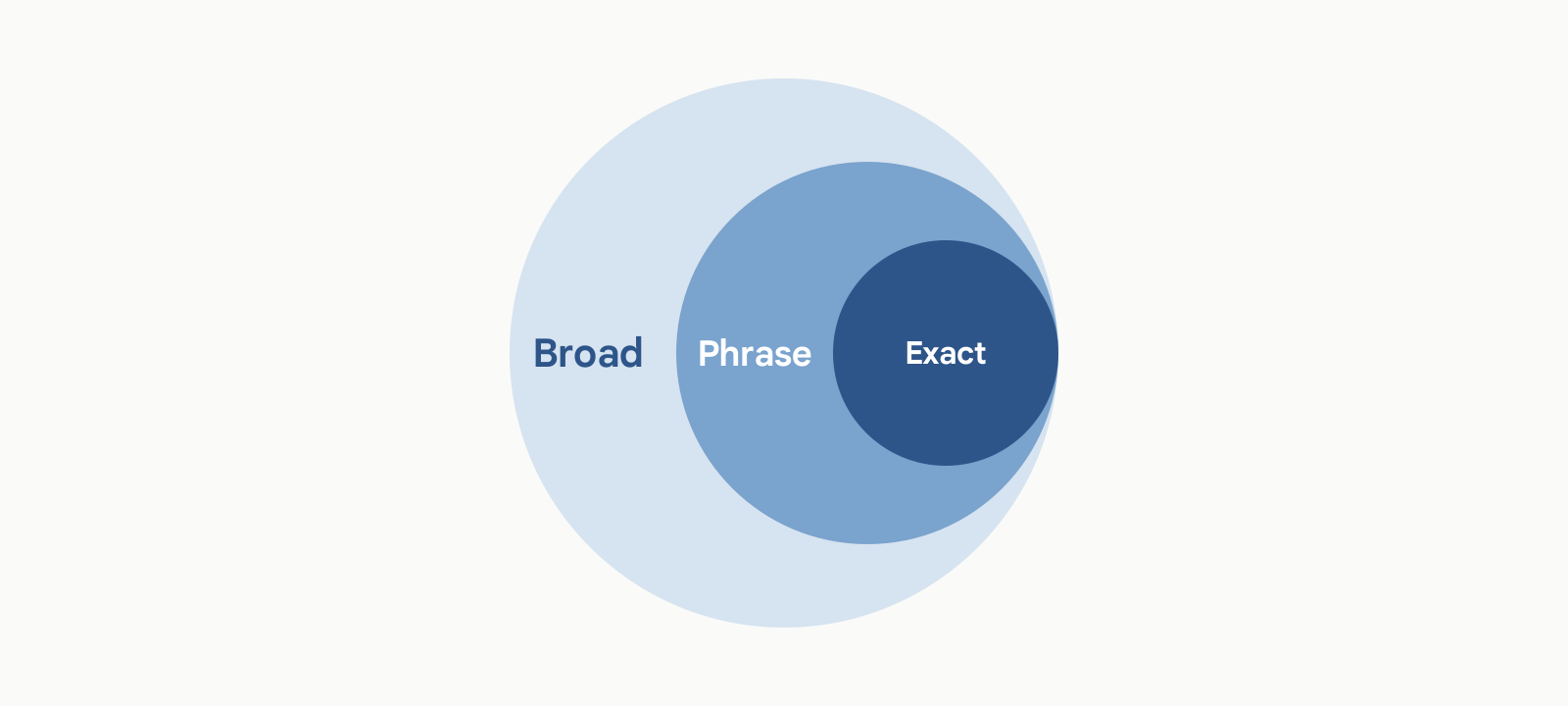
In the last post, I showed you Google’s diagram where broad contains phrase contains exact, because broad reaches every query the narrower types reach plus more.
On the negative side, the same containment runs the other way. Negative broad blocks everything negative phrase blocks, plus more. Negative phrase blocks everything negative exact blocks, plus more.
Same three words. Same three symbols. Opposite direction.
Here’s a way to think about it. On the positive side, the match type controls how far the system is allowed to travel from your keyword to find you traffic. On the negative side, the match type controls how far it’s allowed to travel to block traffic.
Broad always means the widest net. It just happens that on the negative side, the widest net is the most restrictive outcome.
The default problem
When you add a negative keyword manually, typing it into the negative keywords field, the default is broad. The strongest block.
But on the help page about getting negative keyword ideas from the search terms report, there’s a note that reads: “by default, negative keywords added to a Search campaign from the search terms report are added as negative exact match.”
Exact. The weakest block.
So you have two different defaults in the same account depending on where you happened to click.
And think about which one people actually use. Nobody sits down and types negative keywords from memory. The overwhelmingly common workflow is exactly the one at the start of this post: you’re in the search terms report, you see a wasteful query, you tick the box, you click add as negative.
That path gives you exact match. Which blocks that precise string, in that precise order, with no additional words, and nothing else.
Which is why the term comes back two weeks later with one extra word on it.
That isn’t Google hiding anything. It’s written in the documentation. It’s just written in a note, on a page about a different topic, and the interface doesn’t tell you at the moment you click.
What negatives don’t catch
A few more mechanics that will cost you money if you don’t know them.
Close variants
On the main negative keywords page, Google states plainly that negative keywords won’t match to close variants or other expansions. Their example: if you exclude the negative broad keyword “flowers,” ads won’t be eligible to serve on a search for “red flowers,” but can still serve on “red flower.”
Singular versus plural. One letter difference. And the negative doesn’t carry across.
That’s why running shoe survived all three match types in the table above.
So plurals are on you. Synonyms are on you. If you want to block a concept, you have to write out the variations yourself.
Except, on that same page, in the section on types of negative keywords, Google says something that sits awkwardly next to that. It says negative match types work differently than their positive counterparts, that the main difference is you’ll need to add synonyms and singular or plural versions yourself, and then that negative keywords automatically account for casing and misspellings, so you don’t need to add those separately.
So one part of the page says no close variants, full stop, and says it in three different places. Another part says typos and capitalization are handled for you.
Those can be reconciled if you read casing and misspellings as carved out of the general rule. But Google never says that anywhere, and the flat version appears more often than the carve-out.
My read: treat plurals and synonyms as definitely your job, because that’s stated repeatedly and unambiguously. Treat typos as probably handled, but don’t build a strategy on it the way people used to bid on misspellings. And if you’re working in an account where misspellings matter, test it rather than trusting either sentence.
The sixteen word limit
If someone searches a phrase longer than sixteen words, and your negative keyword falls after that sixteenth word, your ad can still show.
Google gives the example: a long search where the negative keyword lands as the seventeenth word, past the cutoff, so the ad still serves. Had that same word sat at sixteenth or earlier, it would have been caught.
This used to be an edge case. With conversational search and voice queries getting longer, it’s less of one.
Symbols
The short version is to keep your negatives in plain text, because Google ignores or strips most operators and special characters anyway.
The one that will actually hurt you is the minus sign. If you put a hyphen in front of a word inside a negative keyword, that word gets dropped. Google’s example: the negative keyword “dark -chocolate” is treated as just “dark.”
So someone trying to be precise ends up blocking vastly more than they intended, and the interface won’t warn them. That’s the really tricky thing about negative keywords. You may end up blocking queries by mistake and never be aware of it.
Also worth knowing: periods are ignored, so Fifth Ave with a period and Fifth Ave without one are the same negative. But accent marks create two genuinely different negatives, so cafe and café both need adding. Same with an ampersand versus the word and.
How to actually choose a match type
One common piece of advice is to shorten your negatives. Don’t block the specific query you happened to see, block the theme underneath it. If you keep seeing searches about a product you don’t carry, block the product name in phrase match rather than adding forty individual queries.
That advice is correct when a real theme exists.
But in my experience, a clean overarching theme doesn’t show up all that often.
Most of what the search terms report hands you is individual terms. Unrelated, one-off, each one wasteful in its own particular way. And waiting for a tidy pattern to emerge before you act is how budget leaks out of an account.
Which means the exact match default is right more often than the standard advice implies. Most of the time you genuinely are blocking one specific query that happens to be running up spend.
Where it goes wrong is the case where you’ve found a real theme and don’t realize you need to change the match type to catch it. You block one query in exact match, think you’ve solved a pattern, and the pattern keeps running.
So the rule I’d give you:
| Match type | Use it for |
|---|---|
| Negative broad | Concepts you never want at all, in any form. Employment terms. Free. Competitor names if you aren’t bidding on them. |
| Negative phrase | A genuine theme you’ve found, where you want to catch all its variations. |
| Negative exact | One query you’re being surgical about, where you want everything around it to keep running. |
And whichever path you used to add it, check what match type actually got applied.
Less is more, revisited
I used to say that with negative keywords, less is more. Don’t over-negate. Because if you had a tight, well-built positive keyword list, that list was already doing the targeting work, and Google was reasonably good at showing your ads on relevant queries. Adding piles of negatives on top of a precise keyword list was solving a problem you didn’t have.
That reasoning is gone. There’s no tight keyword list anymore in the old sense. Everything expands on meaning, all three match types, no opt-out.
But the principle survives, for a different reason.
Google’s own documentation warns that if you use too many negative keywords, your ads might reach fewer customers. And mechanically you can see why. Broad match exists to find queries you never thought to bid on. Smart Bidding needs query volume to learn from. If you negate aggressively enough, you’ll starve both of them.
The part that worries me more is this.
Over-negation used to be visible. If you blocked traffic you should have kept, you’d see it in your own data. Impressions down, volume down, and you could go find what you did.
Now, when you block good traffic, it disappears into the portion of the search terms report you never see. You don’t get a warning. You don’t get a line item. It’s just gone.
So the old version was: be restrained, because you probably don’t need many negatives.
The new version is: negatives are essential now, and being wrong about them costs you more than it used to, and is harder to detect.
The pattern underneath
Expansion is automatic, and it has no ceiling. Restriction is manual, and it’s literal. And the defaults are not arranged in your favor.
Negative keywords are the last fully manual lever you have in a Search campaign, which is why this one went as deep as it did.